 Harborlight
Why people are looking for something new
The short timeline, with sources. Plans and policies change, so check each vendor’s current page for the latest. Read the full guide: what changed and your options →
Adobe's community staff confirm its free online PDF tools can be used once every 30 days, on a rolling basis.
Source: Adobe Community ↗Smallpdf's own comparison lists limited downloads on Free, with batch processing and strong compression on Pro only.
Source: Smallpdf blog ↗Recent reviews of popular PDF sites describe caps on files, tasks and operations per day.
Source: Capterra reviews ↗In their words, roughly
A user says they were pushed to buy a Pro plan after merging just two files with a tool advertised as free.
Another reports the "free" splitter worked once, then asked for a subscription, and calls it false advertising.
A reviewer notes you get only a few actions per day before you must wait or pay.
Paraphrased from public posts and articles, linked to the original. These are not reviews of Pagewright, and their authors are not affiliated with Harborlight.
Everything the job needs, nothing it doesn’t
All pages, one table
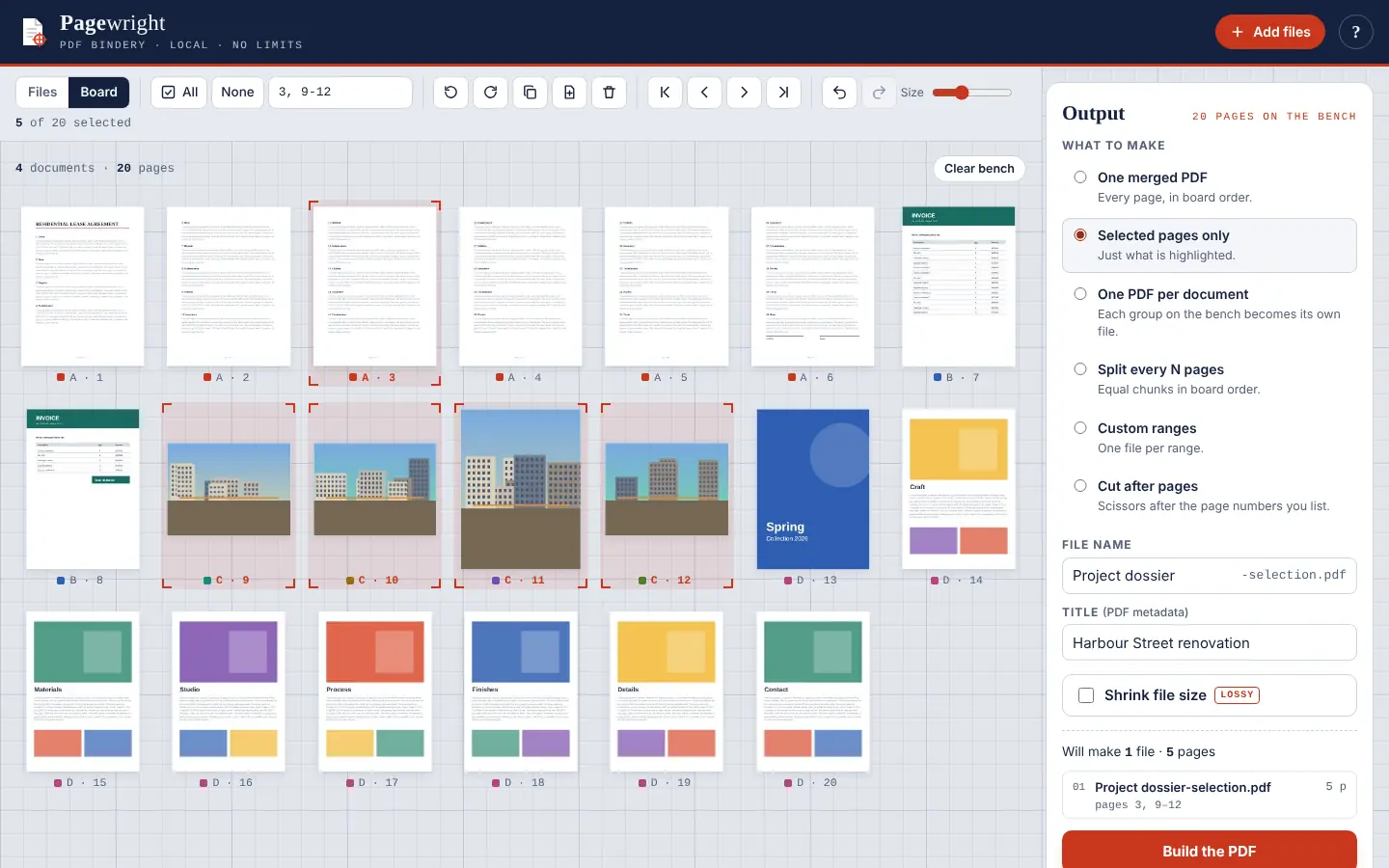
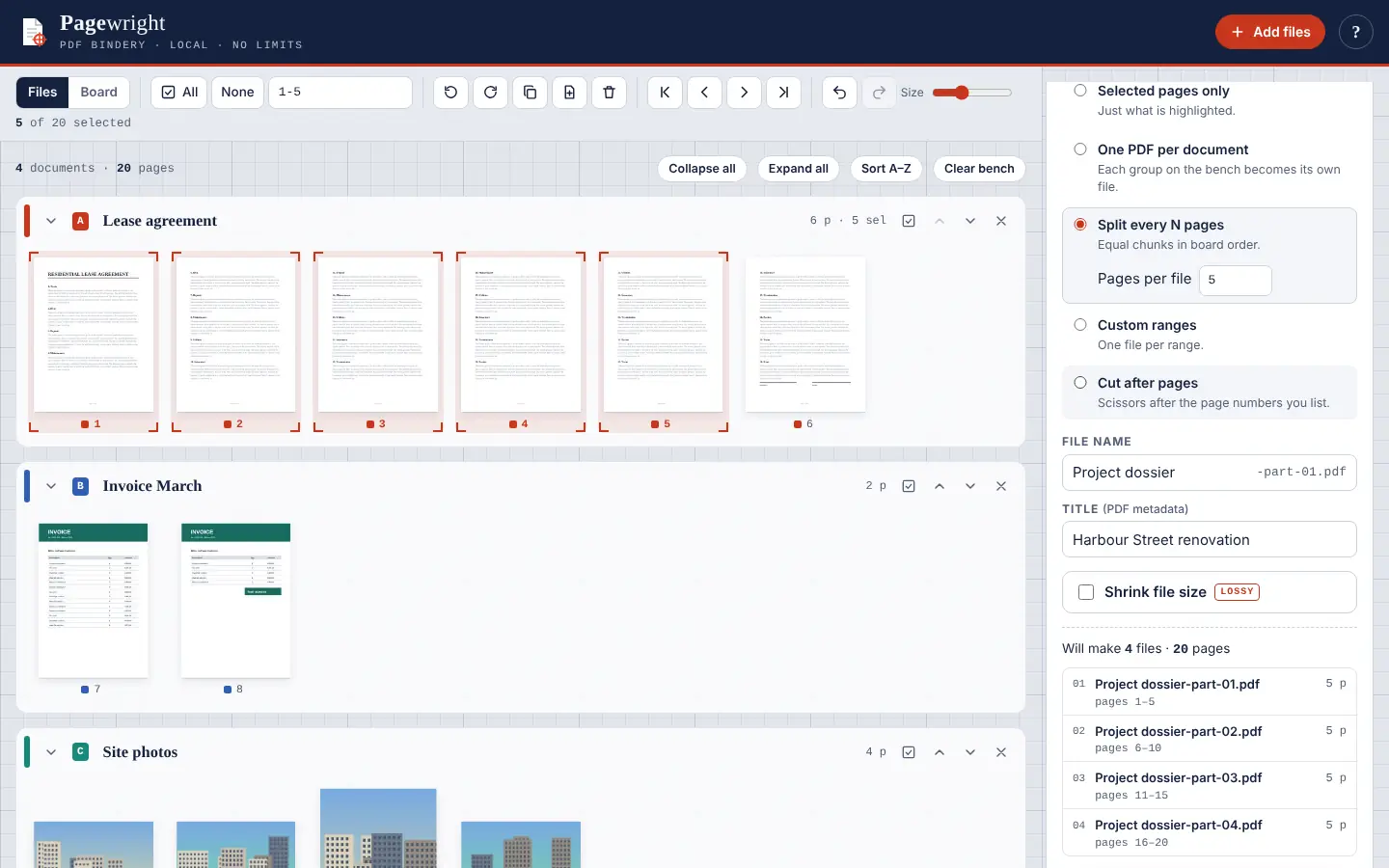
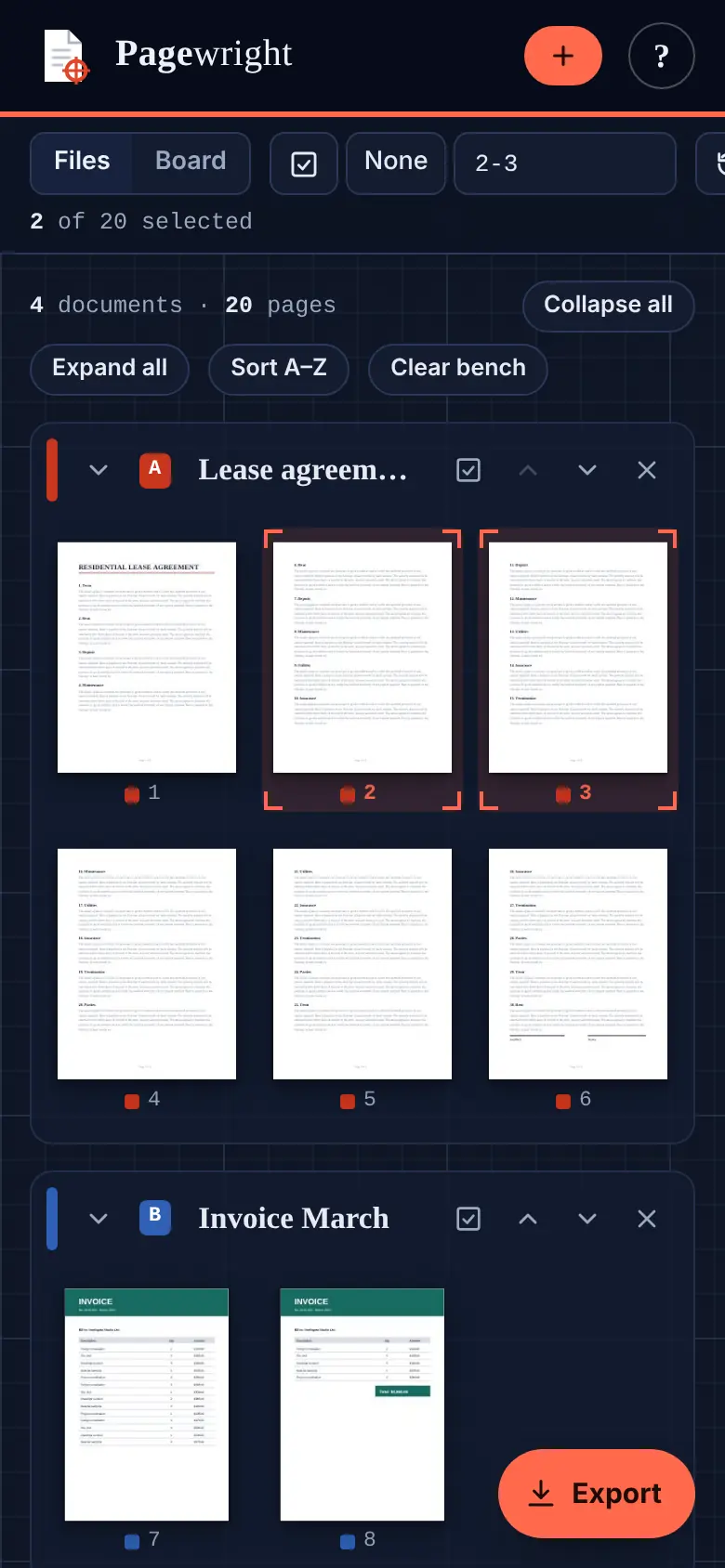
Drop PDFs and photos together. Every page becomes a thumbnail you can see, select and move, even with 40 files and hundreds of pages.
Drag across files
Reorder within or between documents, rotate, duplicate, delete or insert a blank page. Undo anything.
Ranges like a pro
Click, Shift-click, Ctrl-click, or type “1-5, 8, 12-” to pick exactly the pages you want.
Six ways out
One merged PDF, selected pages, one file per document, every N pages, custom ranges or cut points, with a preview before you save.
All at once
Save every output to a folder in one go where the browser allows it, or as a single ZIP. No blocked downloads.
Honest compression
Optionally re-render pages to make a lighter file, clearly labelled as lossy. Your original stays untouched.
See it working
How it works
Stuck? Every Harborlight tool has a ? button with a short guide, tips and answers, right inside the app.
What “free” means here
Compared with the free tiers of popular tools in 2026. Details vary by product, and some paid tools do things Pagewright doesn’t; we list those too.
| Feature | Pagewright | Typical free tier |
|---|---|---|
| Number of jobs | Unlimited | Often 1 per month or a few per day |
| Batch / many files | Included | Often paid |
| Files uploaded to a server | Never | Usually |
| Account required | No | Often |
| Works offline | Yes | No |
| Ads | None | Varies |
Good to know
Are my documents uploaded?
No. Pagewright reads and writes PDFs inside your browser. Nothing is sent anywhere, which also makes it fast.
Is there a limit on files or pages?
No daily limit and no page cap. Very large sets are limited only by your computer’s memory.
Can it open password-protected PDFs?
Not yet. Encrypted files are skipped with a clear message; remove the password in your PDF reader first.
Does it work offline?
Yes. Download the single file and open it by double-clicking. It keeps working with no internet connection.
Is it really free?
Yes. No account, no ads, no paid tier. Pagewright is funded by tips from people it saved an upgrade.
Ready when you are.
No sign-up. Open it and start, or download the single file for offline use.
More free tools
What do you think of Pagewright?
Tell us what works, what is missing, or what broke. Good ideas land in the next version.