 Harborlight
Why people are looking for something new
The short timeline, with sources. Plans and policies change, so check each vendor’s current page for the latest. Read the full guide: what changed and your options →
Version 11.23.0 moves beat-making and samples to paid tiers and adds ads in the studio.
Source: MWM ↗The help centre now lists weekly sample “claims” and a weekly beat limit on paid plans.
Source: BandLab Help ↗In their words, roughly
A one-star review: you can’t even make a beat anymore without subscribing.
Reviewers say free features moved to a paid tier and the free version is now nearly pointless.
Others complain about ads that can’t be skipped.
Paraphrased from public posts and articles, linked to the original. These are not reviews of Beat Harbor, and their authors are not affiliated with Harborlight.
Everything the job needs, nothing it doesn’t
Tap in a groove
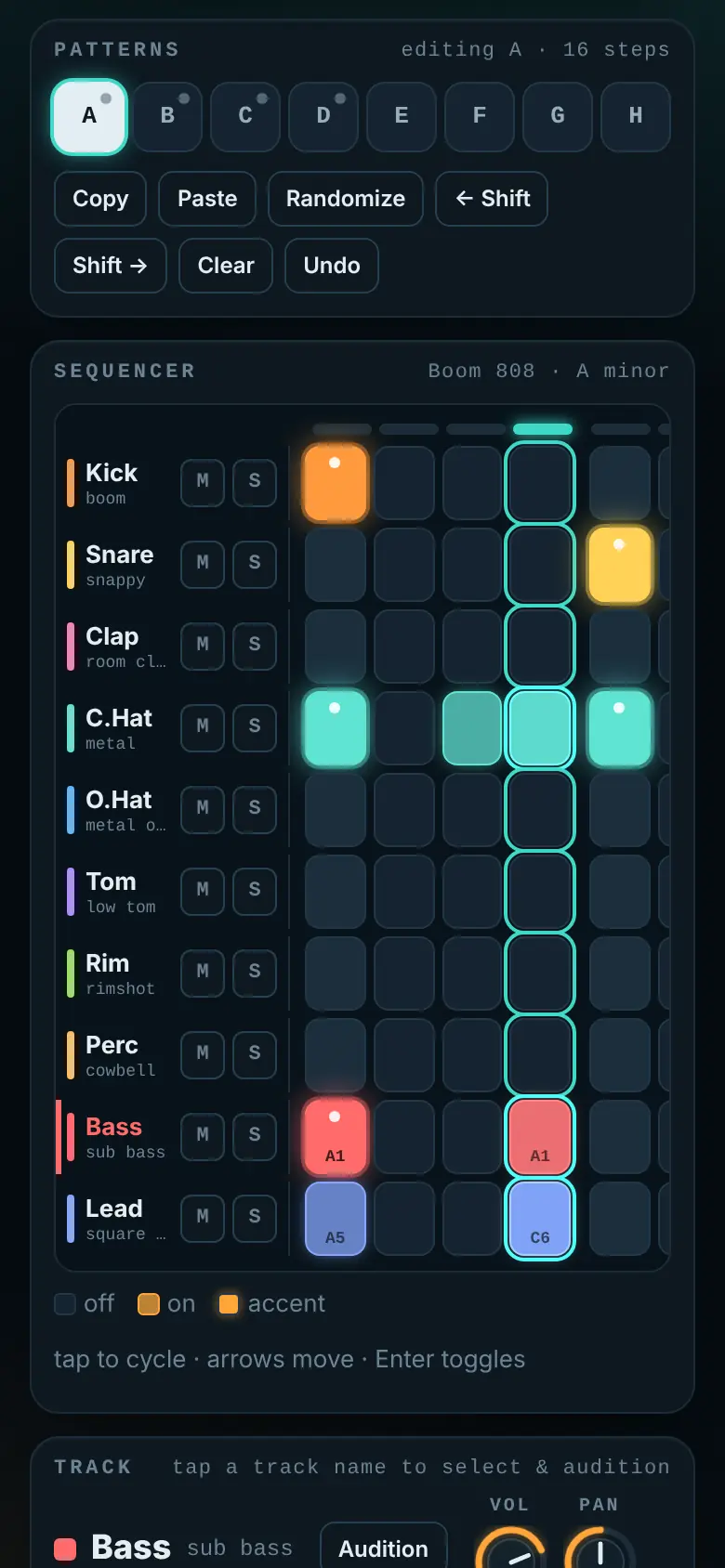
16 or 32 steps, accents, swing, tempo from 60 to 200 with tap tempo, and mute, solo, volume and pan per track.
Three sounds, zero samples
Boom 808, Punch 909 and Dusty Lo-fi, all synthesized live, so there are no sample licences to worry about.
Bass and lead in key
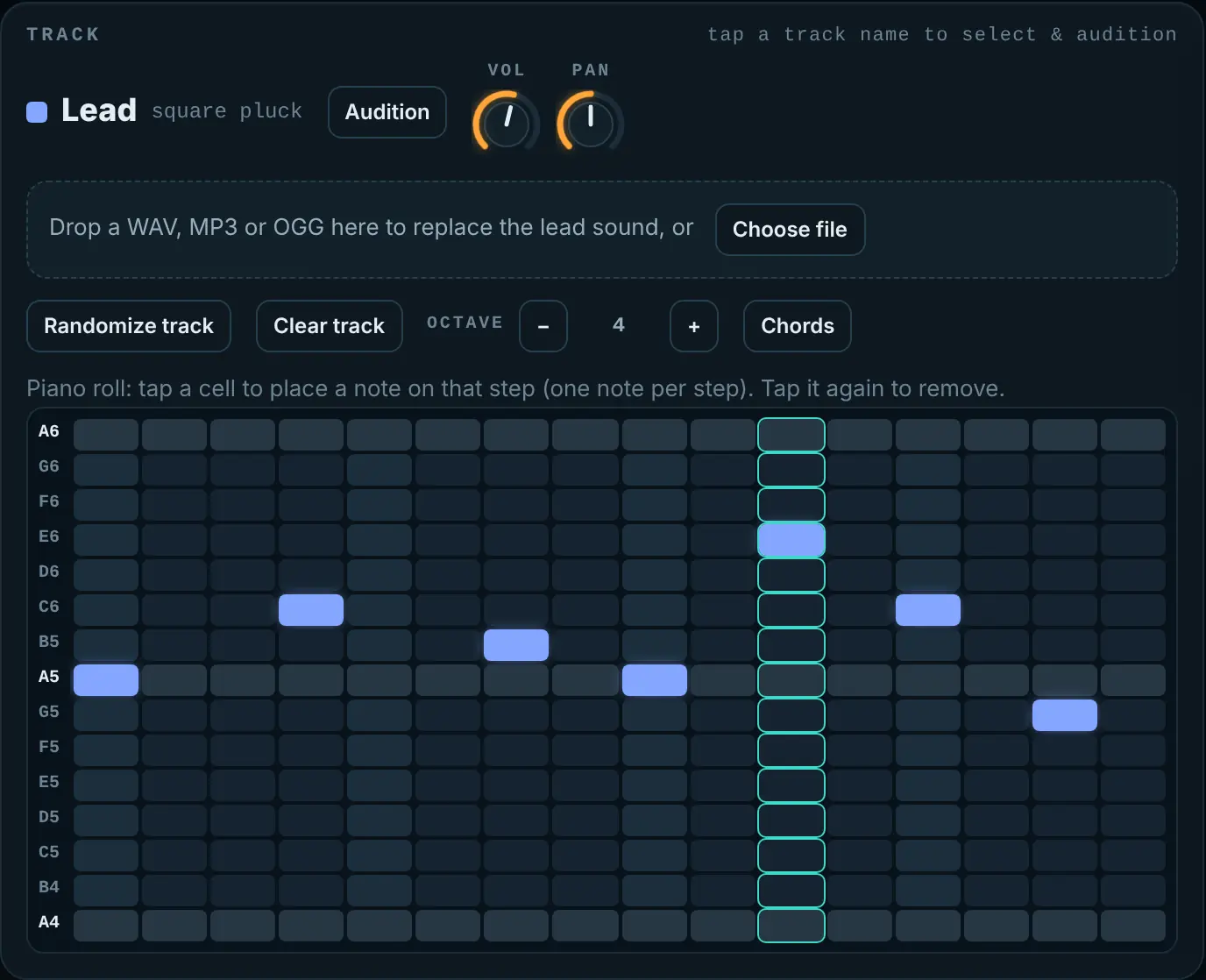
Pick a key and scale; a simple piano roll keeps every note in tune, with chords on the lead.
From loop to track
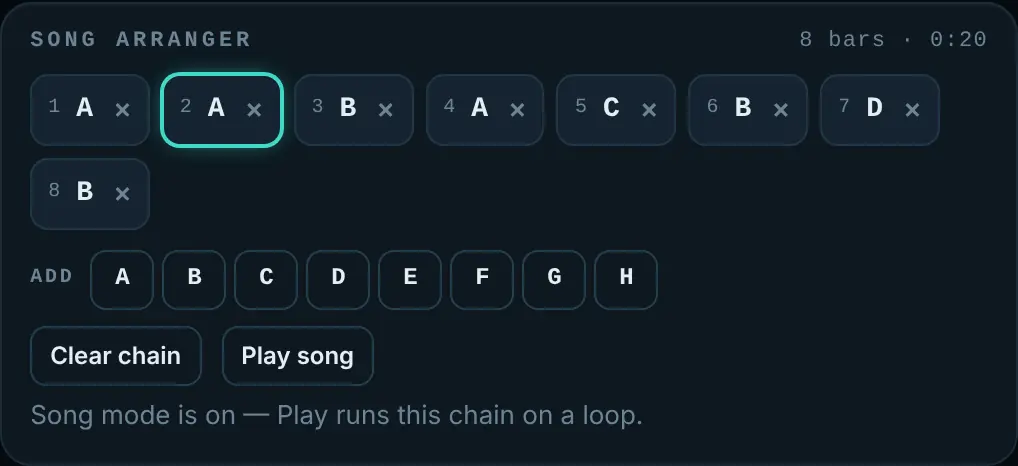
Eight patterns and an arranger that chains them into a song, with smooth switching on the bar.
Bring your own
Drop a WAV, MP3 or OGG onto any track. It stays on your device.
Take it anywhere
Render a WAV mixdown, export MIDI for your DAW, save the project, or share a pattern as a link.
See it working
How it works
Stuck? Every Harborlight tool has a ? button with a short guide, tips and answers, right inside the app.
What “free” means here
Compared with the free tiers of popular tools in 2026. Details vary by product, and some paid tools do things Beat Harbor doesn’t; we list those too.
| Feature | Beat Harbor | Typical free tier |
|---|---|---|
| Making beats | Free, unlimited | Paid tiers on some apps |
| Ads in the studio | None | Some free apps |
| Weekly limits | None | Common |
| WAV and MIDI export | Included | Varies |
| Account required | No | Usually |
| Cloud collaboration | No | Yes |
Good to know
Do I own what I make?
Yes. The sounds are generated by the app, and your own samples stay yours.
Can I continue in another music program?
Yes. Export MIDI for the notes, or a WAV mixdown for the audio.
Does it work on a phone?
Yes. The grid scrolls sideways on small screens and pads respond to taps.
Where are projects saved?
In this browser. Save a project file to back it up or move it.
Is it really free?
Yes: no subscription, no ads, no limits. Tips keep it going.
Ready when you are.
No sign-up. Open it and start, or download the single file for offline use.
More free tools
What do you think of Beat Harbor?
Tell us what works, what is missing, or what broke. Good ideas land in the next version.